

Construction Security Camera Buyer’s Guide: How to Choose the Right System for Your Jobsite
A Step-by-Step Guide on How to Unlock Total Jobsite Visibility
Introduction
Construction theft, vandalism, and liability claims cost the industry billions of dollars every year. Choosing the right security camera for your jobsite is one of the most effective ways to protect your assets, document progress, and keep projects on schedule — but with so many options available, knowing where to start can be overwhelming.
This guide walks you through everything you need to know about how to choose the best construction security camera for your project: camera types, must-have features, power and connectivity options, software, ROI, and the right questions to ask before you sign with a vendor.
What Is a Construction Security Camera and Why Does It Matter?
A construction security camera is more than a standard CCTV unit bolted to a pole. Purpose-built jobsite cameras are engineered to handle outdoor conditions, operate on limited or solar power, stream live footage over cellular networks, and integrate with project management software like Procore or Autodesk.
Beyond theft deterrence, the best systems deliver:
- 24/7 remote monitoring so project managers can check in without driving to the site
- Time-lapse documentation that captures every phase from groundbreaking to completion
- AI-powered motion alerts that notify you instantly when something happens after hours
- Visual evidence for resolving liability disputes, justifying weather delays, and protecting against false claims
In short, the right camera is a jobsite management tool — not just a security device.
Step 1: Understand the Different Types of Construction Cameras
The first step in choosing the best construction security camera is matching the camera type to your jobsite’s specific needs.
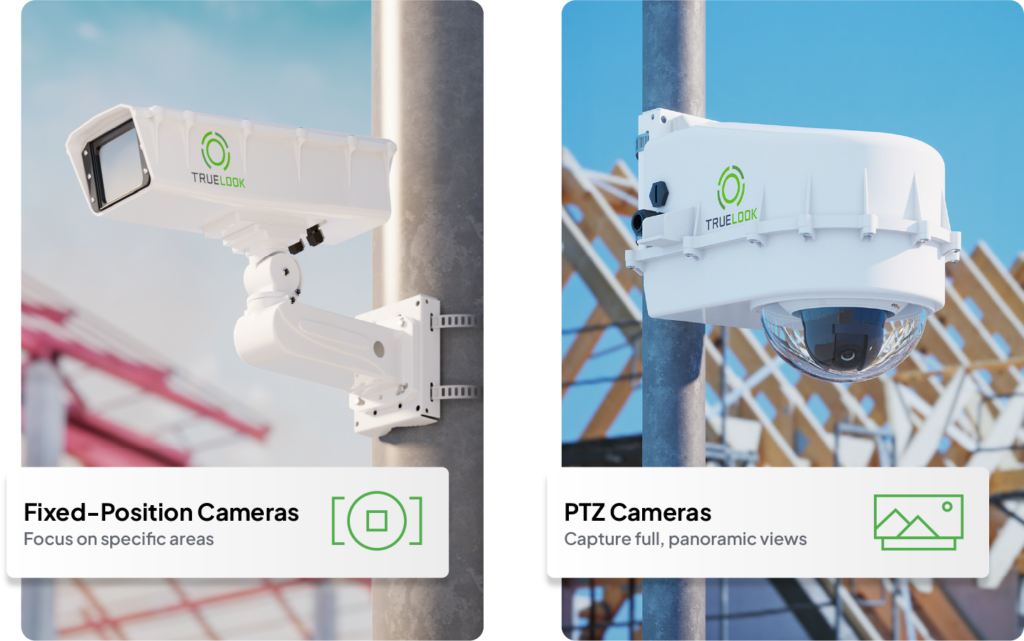
Fixed-Position Cameras
Fixed cameras are locked onto a single view and deliver the highest image resolution and the most stable time-lapses. They excel at access control, documenting a defined work zone, and producing time-lapse footage for marketing or investor reporting. If your priority is crystal-clear documentation of one key area, a fixed camera is often the most cost-effective choice.
Pan-Tilt-Zoom (PTZ) Cameras
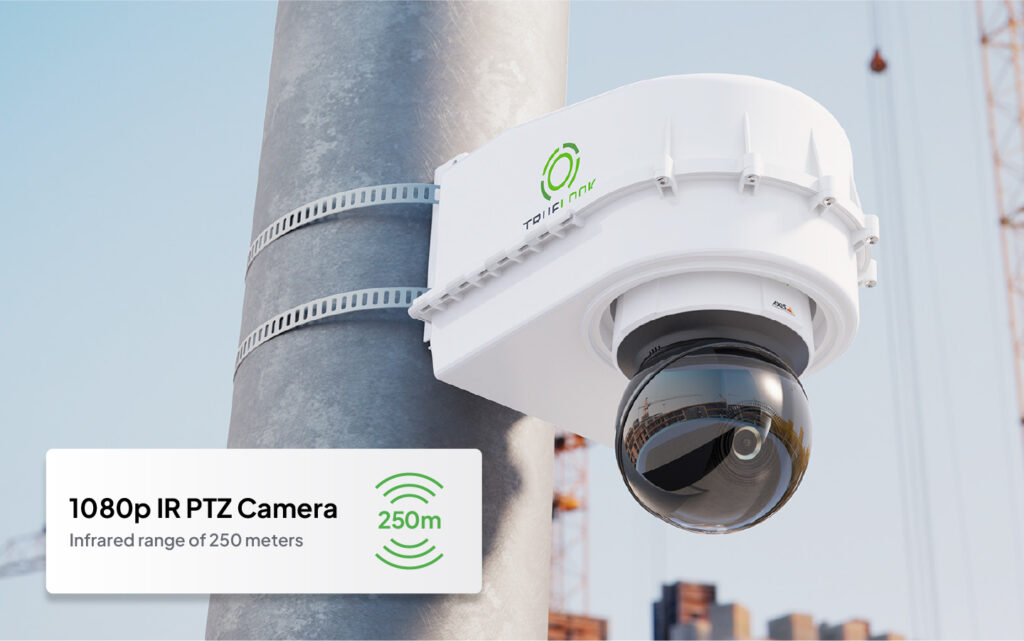
PTZ cameras rotate a full 360°, tilt vertically, and zoom optically — up to 32X on advanced models. They’re ideal for large, complex sites, real-time security across multiple zones, and panoramic time-lapses. Look for 1080p or 4K resolution, at least 10X optical zoom, and built-in IR for nighttime visibility.
Interior Cameras
Smaller and lighter than outdoor units, interior cameras are easy to reposition as work progresses inside. Common for restaurant remodels, retail buildouts, and warehouse retrofits. Key specs: 1080p minimum, 4G LTE or Ethernet connectivity, operating temperature range.
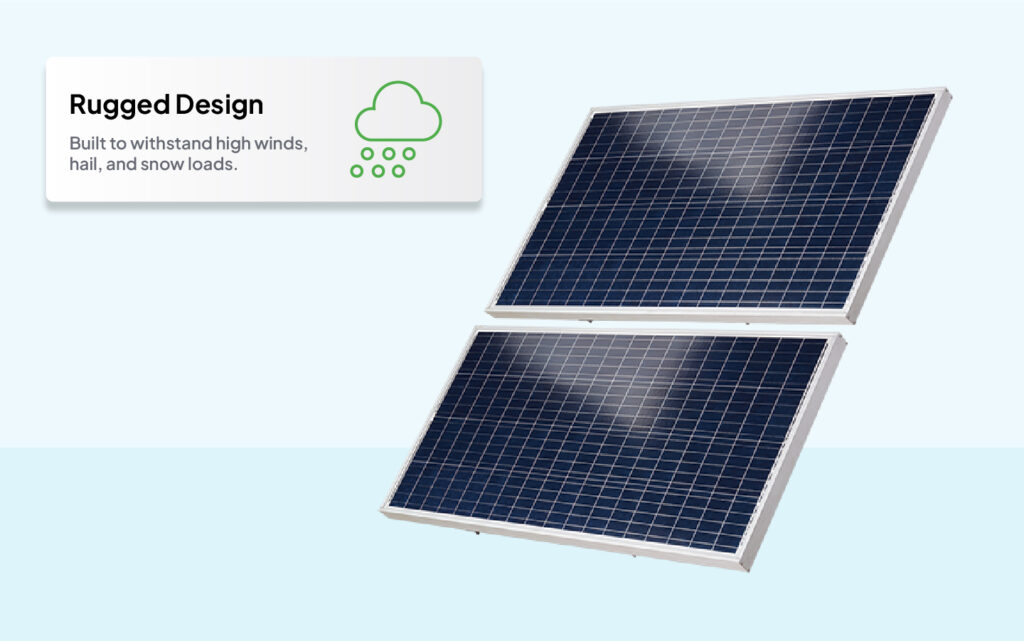
Solar-Powered Cameras
Most jobsites don’t have reliable grid power. Solar camera systems eliminate the need to run power cables, and many qualify for the Federal Investment Tax Credit (ITC), meaningfully offsetting the cost.
Camera Applications
Live Viewing
In addition to boosting security, real-time video monitoring via live streaming enables project managers to check in on crews, subcontractors, deliveries, weather conditions, and more to make sure work is being done properly and efficiently. When crews know project managers can monitor sites remotely in real-time or review footage later, it motivates them to stay on task, adhere to corporate policies and safety measures, and be accountable for their work.
Project Management and Forecasting
Predicting what will happen on the jobsite throughout the many phases of a large, complex construction project is challenging. Weather delays, late deliveries, and labor shortages can wreak havoc on project budgets and schedules. Real-time insight into jobsite activity enables project managers to track daily progress and gain insight into possible delays or adjust schedules if certain project phases take longer than expected. Managers can also anticipate when certain project phases will be complete with better accuracy and ramp up or thin out crews accordingly. Many advanced camera solutions integrate with popular project management software platforms, so workers and managers can upload and share videos and photos to create a visual history of project progress, keeping everyone informed.
Documentation
Photos and videos enable accurate documentation from start to finish, which can be reviewed and used later to forecast and plan for new projects. Managers can watch each phase sequentially and have a better understanding of what occurred during the project. A full photo history of a project is helpful in security investigations, and justifying weather delays, as well as marketing and bidding for new projects.
Overlay Comparison
With the ability to compare two images from a time-lapse, you can conveniently track the progress of your project over time. By simply clicking and dragging a slider, you can easily visualize and analyze the changes and advancements made over the course of the time-lapse.
Communication and Collaboration
Through integrations with project management software, construction cameras improve collaboration between everyone involved in a construction project, from workers on the jobsite to remote stakeholders. Photos and video footage from construction cameras can be shared in real-time via email, text, or through project management software to keep all parties in the loop throughout the construction process. For example, workers can send photos with notes and markups to explain status updates or requests. Project managers can view images remotely to monitor jobsite conditions and keep building owners and investors informed, enabling better and faster decision-making.
Security Features
Cameras should offer 24/7 continuous security recordings with live video streaming for the ability to monitor the jobsite remotely. Advanced solutions offer high-definition video to capture detailed video evidence and a visual history of security incidents. Some solutions provide motion alerts to notify project managers and/or authorities when the camera’s motion sensor detects movement so they can take immediate action. Another important feature that assists with security concerns is built-in infrared (IR) technology. Advanced camera systems with IR can ensure clear footage even in total darkness, as well as help motion detection capabilities be more accurate. A construction camera with IR is key to having actionable security footage in the case of an incident. In addition to these capabilities, the mere presence of cameras provides a visual deterrent, as would-be thieves are less likely to steal from a jobsite if they know the site is being watched by cameras.
Monitored Security
For jobsites that need extra security, human monitoring ensures that threats are verified and addressed in real time. This can help reduce losses on your jobsite and false alarms, providing you with increased peace of mind. When choosing a provider for this service, it’s important to look for ones that meet the highest industry standards. The best providers are UL listed and 5 Diamond Certified by The Monitoring Association.
Marketing & Investor Relations
Visuals are powerful marketing tools — they’ve been proven to attract up to 300% more traffic to websites, and they can be used to nurture leads and help convert prospects to customers. Construction firms that use video are more likely to rank higher in search, capture the attention of prospective customers, and compel them to click through to learn more. Videos and photos can be used in marketing materials and on websites to showcase large, high-profile projects, create excitement around new construction, make social media posts stand out, and build hype around upcoming events.
Time-Lapsing
In addition to videos and photos, time-lapse footage from construction cameras provides a versatile marketing tool for promoting your firm’s differentiators to prospects and investors, raising awareness of your brand, generating interest and excitement around projects, and demonstrating your firm’s capabilities. Some additional marketing uses for time-lapse videos include:
- Embedding them on your website to bring a page to life and increase the time viewers spend on the page.
- Building anticipation for a coming event or the completion of a large project.
- Augmenting customer testimonials or case studies you create to market your firm.
In today’s digital world, effective marketing requires a lot of high-quality photos and videos, which can get expensive. Using photos, video footage, and time-lapses from your construction cameras eliminates the cost and production time of hiring a camera crew while providing timely, authentic visuals of your firm’s excellent work.
If you’re specifically comparing construction time-lapse service providers, see our full breakdown.
Step 2: Identify the Features That Actually Matter
Before choosing a camera solution for your construction project, it’s important to understand the various features and functionalities they offer.
Image Quality and Field of View
1080p is the minimum acceptable standard; 4K is worth considering for large sites where you need to zoom into footage after the fact. A wider horizontal field of view means fewer cameras needed to cover the same area.
Night Vision and IR Technology
Construction theft overwhelmingly happens at night. Cameras with integrated infrared (IR) technology maintain clear footage in complete darkness and improve motion detection accuracy. Don’t buy a camera for security without confirming capable IR.
Cellular Connectivity
Most jobsites can’t depend on WiFi, making 4G LTE cellular the standard. Confirm what happens when the signal drops — does the camera buffer and upload when connectivity returns, or is that window of footage lost?
AI-Powered Motion Alerts
Basic motion detection generates too many false alarms. Look for AI-powered motion analysis that distinguishes a person on-site after hours from wind-blown debris. The best systems send real-time alerts to your phone or monitoring team the moment a genuine threat is detected.
Monitored Security (Human Oversight)
For high-value or high-risk sites, AI alerts alone may not be enough. When evaluating monitoring services, confirm the provider is UL Listed and Five Diamond Certified by The Monitoring Association — placing them in the top tier of monitoring centers.
Time-Lapse and Documentation Tools
Look for custom time-lapse intervals, image overlay and comparison tools, and photo markup for annotating progress updates. Time-lapse footage serves double duty: documentation and marketing.
Camera Deployment Options
Mobile Camera Trailers
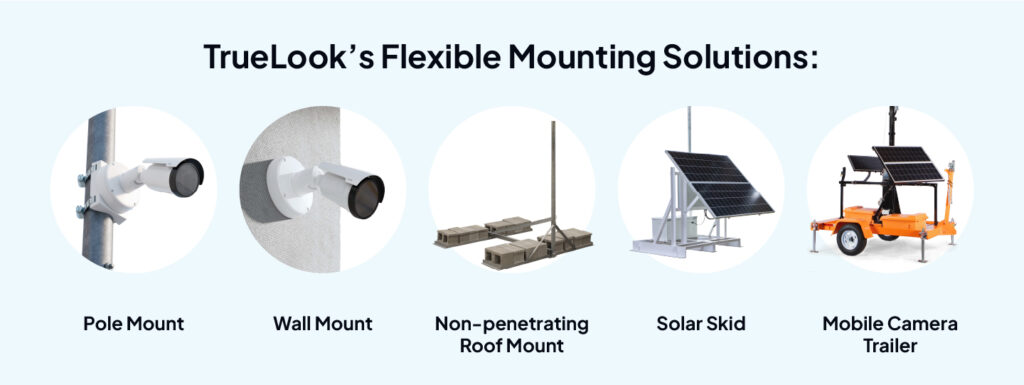
Mobile camera trailers are the go-to solution for jobsites that are remote or have mounting difficulties. With a solar-powered trailer, you have all the power, connectivity, and mounting infrastructure needed to achieve your documentation goals.
- Adaptable mounting
- Eco-friendly power
- Easy to move
- Battery backup system
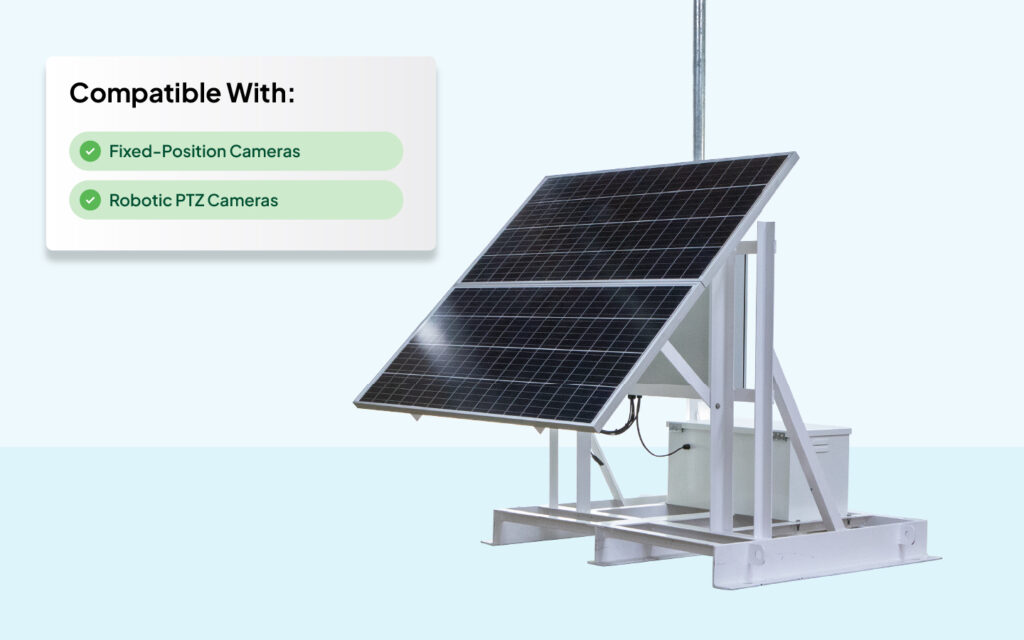
Solar Skids
Solar skids are an all-in-one camera mounting and power station that offers a simple solution for remote locations, parking lots, and many other jobsites. Designed with mobility in mind, solar skids can easily be lifted using a forklift to any desired location. It doesn’t have to be uninstalled or reassembled at the next jobsite, which means it offers a reduced deployment time. When you’re ready for your next project or even just the next camera angle, simply move your solar skid to the next spot.
Software Functionality
Today’s construction cameras come enabled with software apps that allow you to access live viewing, control the cameras remotely, mark up and share photos, and access many other camera features.
Make sure the camera dashboard is intuitive and easy to use. Be sure to ask your vendor if the platform is accessible on different kinds of devices, such as a desktop, laptop, tablet, or mobile phone. It’s worth noting that some vendors may require you to download software. Additionally, some vendors may require a physical connection of a device to the camera to download footage or images. It’s also important to determine if all of the camera’s features are available as part of the standard offering. Some vendors offer select features on all cameras and charge a fee for access to advanced features. Others only offer all features, but only on certain camera models (and sometimes for a higher price). To get the best bang for your buck, go with a vendor that offers all features for one standard price.
Important features to look for include:
- A single dashboard to monitor projects and cameras
- Live jobsite viewing and ability to view live footage from anywhere
- View live and historical weather conditions
- Custom time-lapse capabilities
- Unlimited simultaneous users
- 24/7 monitoring and AI-powered motion alerts
- Analytics of camera usage
- Image overlay, comparison, and markup tools
- User Interface built with customer experience in mind
Optional Add-on Services
TrueLook offers a range of powerful add-on services designed to enhance and improve your jobsite documentation.
From the convenience of drone services that capture comprehensive aerial views to the added layer of security provided by Jobsite Surveillance, we have you covered. Explore our add-on services to take your project to the next level.
Jobsite Surveillance
Jobsite Surveillance combines our Intelligent Motion Alerts with a team of trained monitoring professionals to provide you with powerful peace of mind. Our monitoring center is UL Listed and Five Diamond Certified, ranking it in the top 5% of monitoring centers.
Drone Services
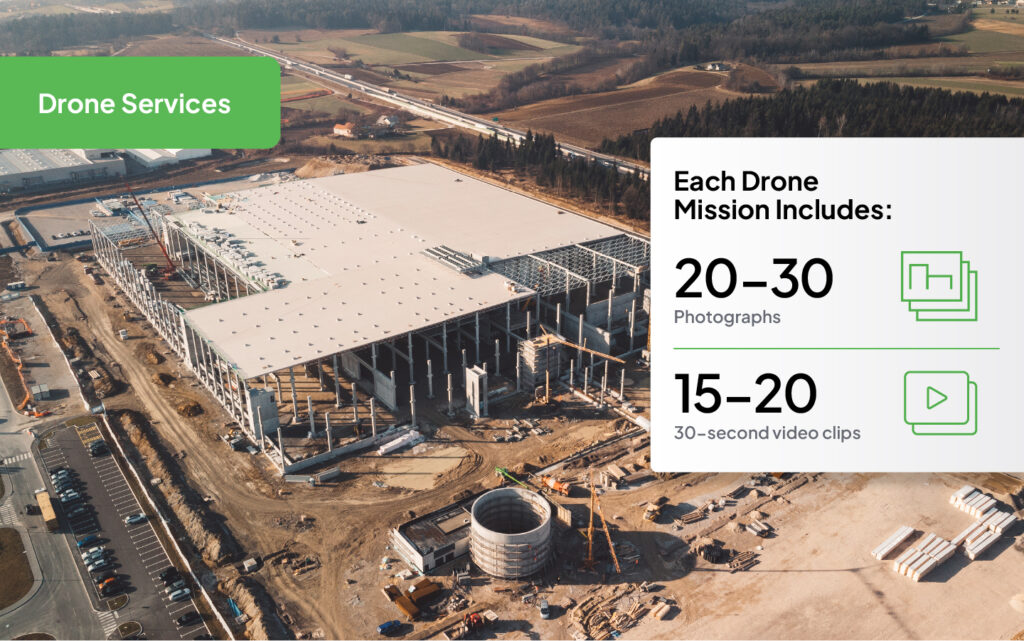
Easily capture every angle of your jobsite, from the air or the ground. Choose a single flight to document the finished project or utilize routine missions for more detailed progress tracking.
Step 3: Evaluate Power and Deployment Options
Power Options
In today’s competitive climate, most construction firms face tight deadlines and budgets. Complex camera installations can waste precious time, so it’s important that the solutions you choose are easy to install and set up.
Additionally, they should offer a variety of mounting options to accommodate different types of jobsites and applications. These are some key considerations regarding the installation of your cameras:
Where will you position your cameras?
Give careful consideration to where you plan to mount your cameras. Consider the camera’s field of view and the application, as well as what type of visuals are most important to capture (time-lapse, still photos, panoramic, or live streaming).
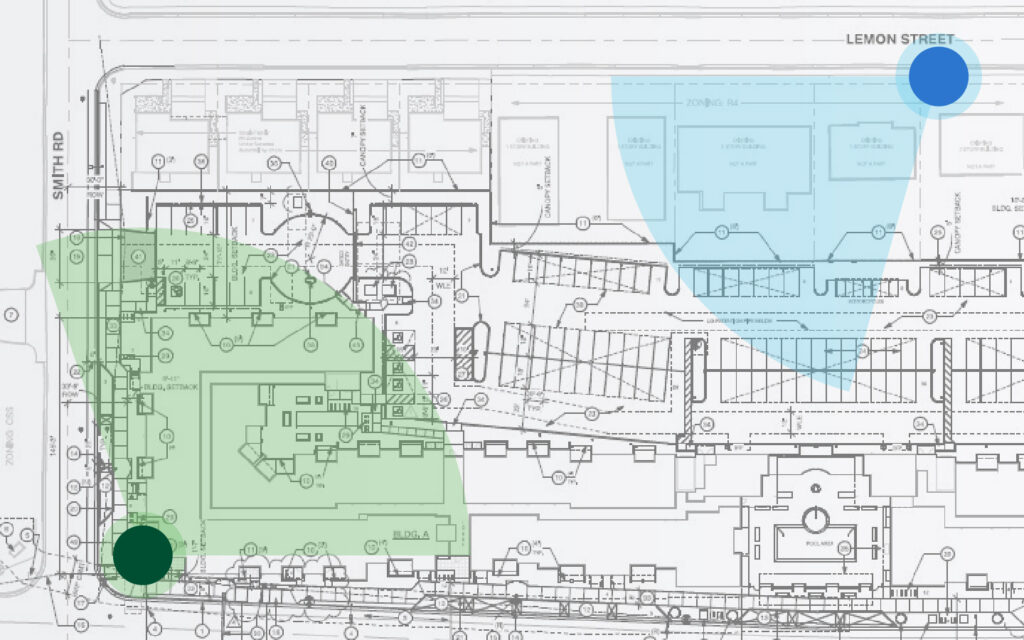
Need help with camera placement on your jobsite? Your chosen camera provider should offer tailored recommendations via a site map that shows what each camera will be able to see.
How will you mount your cameras?
There are several options for mounting construction cameras. Most solutions include wall and pole mounting hardware, but many vendors also offer other mounting options.
Do you need a turnkey set up?
Many advanced camera solutions come pre-assembled and ready to use, right out of the box. They simply plug into a power source and come online. Need someone to manage the install process for you? Consider using a vendor that provides full-service installation, so that your crew doesn’t have to spend any time on installation.
Integrations
Advanced construction camera solutions offer built-in integrations with popular project management software like Procore, Autodesk, and more.
These integrations play a vital role in enhancing project management by allowing seamless access to videos and photos captured by the cameras. It is advisable for firms to prioritize integrating solutions that offer the best and most immediate benefits and return on investment (ROI). Here are two key advantages of integrating construction cameras with project management software:
Simplified Workflows
Integration between construction cameras and project management software simplifies workflows by enabling the instant transfer of photos and video footage. Project managers can conveniently access live camera feeds directly from their preferred project management platform and easily share photos with contacts stored within the system. This capability ensures that all stakeholders stay informed, promotes faster decision-making, and helps avoid costly delays or rework.
Efficient Documentation
The integration of construction cameras with project management software enables rapid access to comprehensive and up-to-date documentation. This documentation not only keeps project managers informed about the progress of the project, but also Seamless Integrations to Simplify Your Workflows The TrueLook Platform integrates with the project management tools you’re already using. Easy access to your construction data and imagery via one application makes it simple and efficient to document and review your project’s progress. Procore Connect Autodesk Connect Construction Camera Buyer’s Guide 22 serves as evidence for scope changes, security issues, and compliance disputes. With integrations, visual documentation is readily available to all stakeholders through a web browser, eliminating the need for rekeying or uploading. The project management platform becomes a centralized repository of video footage and photos, providing a visual record of the entire project timeline.
By leveraging these integrations, firms can streamline their workflows, facilitate better communication, and maintain thorough documentation, ultimately leading to improved project management and successful project outcomes.
Step 4: Calculate the ROI of Construction Cameras
Construction cameras have a measurable return on investment. Before finalizing your choice, consider:
- Equipment theft reduction: The FBI estimates construction equipment theft costs the industry $300 million to $1 billion annually. Cameras both deter theft and provide evidence for insurance claims.
- Labor accountability: Remote monitoring of crews reduces time theft and keeps subcontractors accountable — without requiring a manager on-site.
- Dispute resolution: A timestamped photo record of every phase of a project is invaluable when resolving scope disputes, weather delay claims, or liability questions.
- Marketing value: Time-lapse videos and jobsite photos can be used on your website, in proposals, and across social media — eliminating the cost of a production crew.
What Will You Have to Spend on a Camera?
When you are getting multiple quotes for construction cameras, make sure you are comparing apples to apples. Some construction camera companies offer tiered pricing, and certain features are added on as you go. Other companies offer flat rate pricing for all features, with no extra charges for data or storage usage. Take a good look at what you are getting when comparing quotes.
Another point to pay attention to is leasing vs. purchase. If you are purchasing, are you able to spread the cost of the camera over multiple projects? Do you want to be able to scale your camera solutions up or down after each project? Asking questions like these will help you determine whether leasing or purchasing is best for your situation.
What Happens When the Project Wraps Up?
When your project is finished, how do you ensure you can continue to access all the photos and videos the camera captured over the length of the project? And what will you need to do to get a camera quickly up and running on subsequent projects? The vendor that you select should provide ways to easily access all your data and restart service for a new project.
Step 5: How to Choose a Construction Camera Vendor
Not all construction camera vendors are created equal. It’s important to choose the right vendor who delivers on your expectations and provides the support you need to ensure your camera solutions are operating optimally. Here are some important questions to ask during the vendor evaluation process:
Equipment
- What camera options are available?
- Are the cameras ready out of the box, or will they require additional configuration or assembly?
- What camera features are available?
- What installation and mounting options are available?
- Is mounting hardware included with the equipment?
- What internet connection options are available?
Software
- Will I need to install software?
- Is there a mobile platform?
- What cloud security measures do you have in place?
- How many simultaneous users does the software permit?
- How often will I receive software updates?
- Are there additional charges for specific features or software upgrades?
- What happens to my stored images and videos if I switch vendors in the future?
- What project management software integrations are available?
- How long will photos and videos be stored?
- How long will I have access to past projects?
- Does the software allow for different levels of user permissions?
- How can project data be shared externally?
Support
- What is your product warranty?
- Do you provide 24/7 customer support?
- Is onsite help available?
- What if my equipment fails?
- Is there a satisfaction guarantee?
Cost
- Will I be leasing or purchasing the camera?
- Are there add-on features that I will need to pay for?
- Are there discounts available for paying upfront?
- Are there caps on data usage or media storage?
- If I will be buying in volume, are there enterprise pricing options available?
Post Project
- How long will I retain access to my data after a project is completed?
- What do I need to do in order to get a camera up and running on my next project?
- Can I buy protective cases to keep my hardware safe between jobs and during transportation?
- Are services available to uninstall my camera?
Frequently Asked Questions
It depends on your site’s size and priorities. Fixed-position cameras deliver the highest resolution and most stable time-lapses for defined areas, while PTZ cameras are better suited for large sites requiring 360° coverage and optical zoom. Most large projects benefit from a combination of both.
No — and most jobsites don’t have reliable WiFi. The industry standard is 4G LTE cellular connectivity, which allows cameras to stream and upload footage without a local network.
Pricing varies widely based on camera type, features, and whether you lease or purchase. Always confirm whether pricing is all-inclusive or tiered with add-ons. Factor in data caps, storage limits, and what happens to your footage when the project ends.
Yes. Solar-powered camera systems with onboard battery storage are designed specifically for this situation and are one of the most popular options in the industry. Many also qualify for the Federal Investment Tax Credit (ITC).
Prioritize providers whose monitoring centers are UL Listed and Five Diamond Certified by The Monitoring Association — the top industry standard. Confirm response protocols: how quickly are alerts verified, and how are law enforcement notifications handled?
Storage policies vary by vendor. Ask specifically: how long footage is retained, whether you can access it after your project ends, and whether storage is limited or unlimited.
Ready to Choose the Best Construction Security Camera for Your Site?
Choosing the best construction security camera comes down to matching the right hardware, software, and support to the specific demands of your jobsite. Prioritize image quality and IR capability for security, cellular connectivity for reliability, AI-powered alerts to cut through noise, and a software platform your whole team will actually use.
TrueLook offers a full range of fixed, PTZ, interior, and solar-powered construction cameras with an all-inclusive platform, no user limits, and a monitoring center that’s UL Listed and Five Diamond Certified. Get a free camera quote to see what the right setup looks like for your next project.