Construction timelapse software automatically captures, compiles, and stores sequential jobsite photos into watchable video documentation, giving project managers a complete visual record of site progress without manual effort.
If you manage commercial construction projects, you’ve probably dealt with at least one of these: a subcontractor dispute with no documentation to back up anyone’s account, an owner asking for a progress update you don’t have time to put together, or a closeout where you wish you had a record of what happened on a critical phase. Timelapse software closes all three gaps, but only if the platform is built for construction, not just repurposed from event photography or consumer filming.
This article breaks down how construction timelapse software works, where it delivers real value for commercial project managers, and what separates purpose-built platforms from basic camera setups that happen to string photos together. For broader context on how jobsite camera technology has evolved, Construction Dive’s overview of jobsite cameras past, present, and future is a useful starting point.
Source: TrueLook Construction Time-Lapse Platform
What Construction Timelapse Software Actually Does
The term gets used loosely, so it’s worth being precise. Construction timelapse software is a camera management and video compilation platform that photographs a jobsite at configurable intervals, typically every 5, 10, or 15 minutes during work hours, then compiles those images into a compressed video record automatically.
In practical terms, a complete platform does several things a standalone camera cannot:
- Compiles time-lapse videos automatically on a schedule, no manual export required
- Stores every captured photo in the cloud, retrievable by date and time, for the life of the project
- Allows mid-project video generation, not just a final closeout reel
- Logs historical weather data alongside the photo archive to support delay documentation
- Enables stakeholder sharing via automated links, no PM involvement on every send
- Runs multiple simultaneous time-lapse streams from a single PTZ camera covering different site areas
A project spanning 18 months of active construction can be compressed into a few minutes of footage that shows every major milestone from groundbreaking to substantial completion, and that footage is available to pull mid-project, not just at closeout.
Why Commercial PMs Use Timelapse Software in 2026
Project managers running multiple active commercial sites face the same fundamental problem: you cannot physically be everywhere at once. Time-lapse software addresses this in three ways: it shows you what happened on a day you weren’t on-site, it proves what happened when a dispute arises, and it turns project footage into marketing assets without additional effort.
Documentation and Dispute Resolution
The construction industry runs on paper trails, but photographs carry more weight than change orders in many disputes. A complete, timestamped photo record shows exactly when concrete was poured, when a subcontractor arrived, when materials were delivered, and whether weather caused the delay you’re claiming.
Timestamped time-lapse photo archives are among the most effective forms of documentation for resolving subcontractor disputes, supporting change order claims, and defending against schedule-related litigation. This evidence is difficult to fabricate and nearly impossible to argue with. For teams working under AIA A201 general conditions, platforms that log historical weather data alongside the image archive provide additional support for weather-related delay claims, a standard documentation requirement that most standalone cameras simply don’t address. For Construction Pros covers how camera technology has become a core documentation tool for exactly these scenarios.
Risk note: Construction litigation frequently turns on schedule disputes and who-did-what-when questions. Projects without continuous visual documentation are at a significant disadvantage in arbitration and claims negotiations. The ability to pull footage from any specific day or hour, including months after the fact, is what separates a cloud-archive platform from a camera that records to an SD card.
Stakeholder Communication and Owner Reporting
Owners, lenders, and investors on commercial projects want progress visibility without driving to the site. A short time-lapse clip shared weekly communicates more than a written progress report in a fraction of the time to produce. The best platforms allow you to configure automated sharing links so stakeholders get updates on your defined schedule, with no manual exports on your end.
This matters especially for project managers overseeing multiple active jobsites simultaneously, where manually producing progress updates for each project owner simply isn’t realistic.
Marketing and Business Development
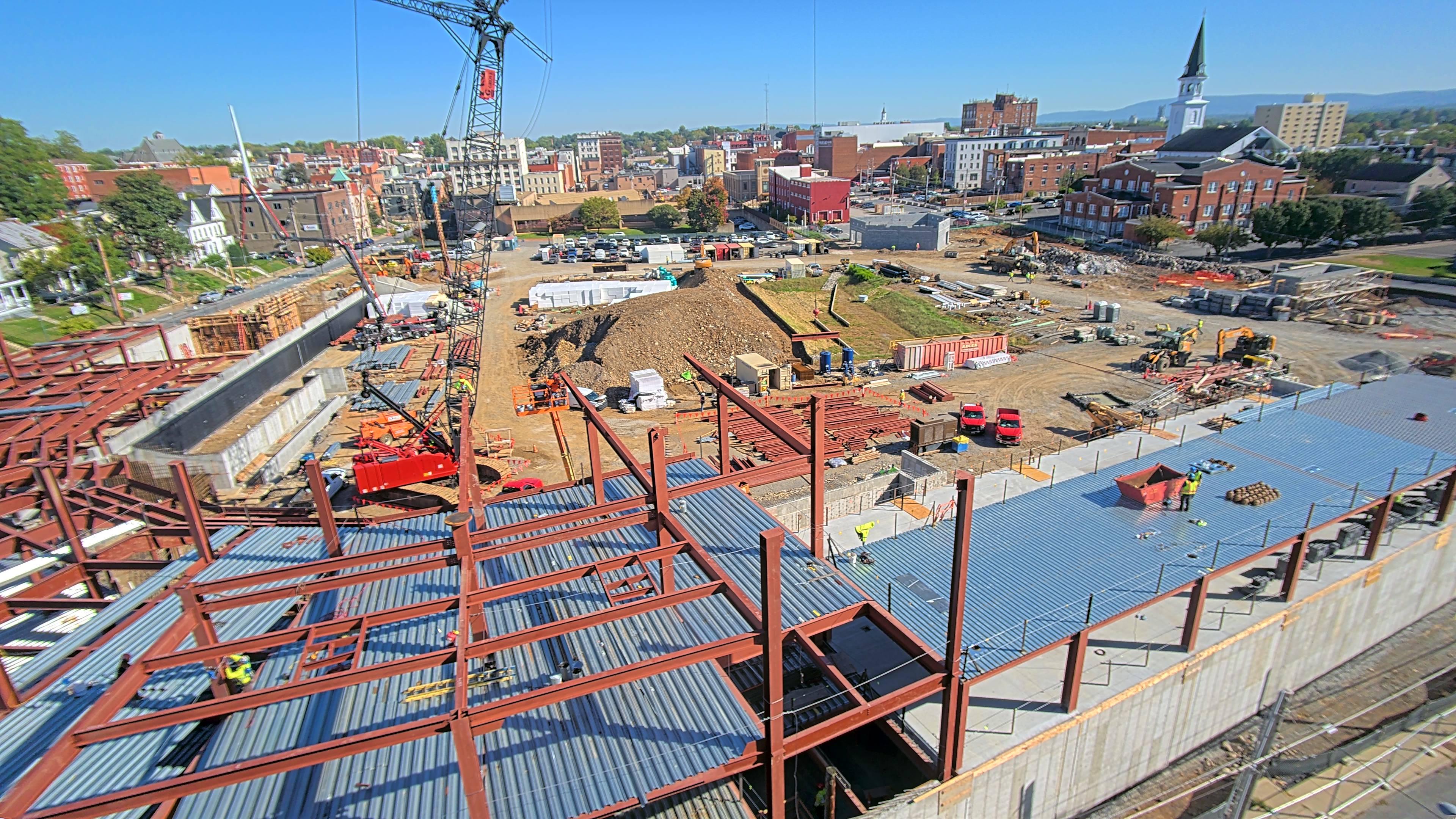
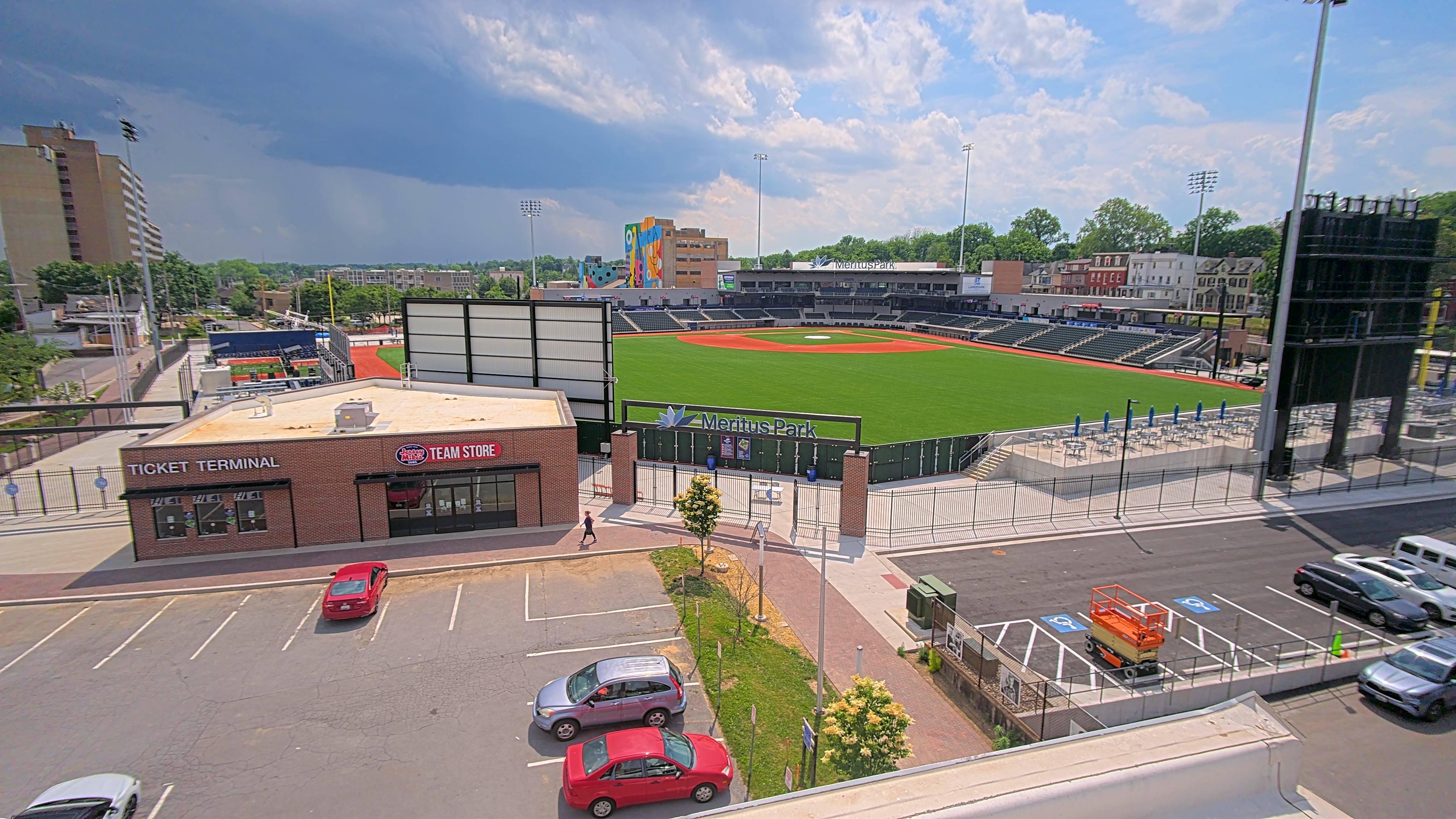
For general contractors and specialty subcontractors, a polished time-lapse video is one of the most compelling pieces of marketing content available. A professionally edited construction time-lapse video covering a full commercial project lifecycle, from groundbreaking through landscaping, is among the highest-ROI marketing assets a GC can produce. Watching a complex structure rise from slab to topped-out steel in two minutes demonstrates capability in a way no brochure can match.
Premium time-lapse services, where professional editors add branding, color correction, custom music, and project facts, can turn raw footage into portfolio-grade content for proposal decks, lobby displays, and social media, using footage the camera was already capturing anyway.
How Construction Timelapse Software Works
Image Capture and Scheduling
The software works in tandem with a fixed-position or pan-tilt-zoom (PTZ) camera mounted on the jobsite. Users configure a capture schedule and the camera photographs the site automatically. Most platforms allow you to exclude nighttime and weekend images to keep compilations focused on active construction activity.
PTZ cameras add significant flexibility: because they rotate a full 360 degrees and pan between preset positions, a single PTZ unit can run multiple simultaneous time-lapses covering different site areas, the main structure, a staging area, a parking lot, and an interior floor, all from one mount.
Pan-tilt-zoom construction cameras can capture multiple simultaneous time-lapses from different vantage points, allowing a single camera to document an entire jobsite rather than just one angle.
Automated Video Compilation
Purpose-built platforms handle compilation automatically. Images are uploaded to the cloud and rendered into video files without manual intervention. Users can customize the output, adjusting frames per second, playback speed, and date ranges, directly from the platform dashboard. The ability to generate a time-lapse mid-project (not just at closeout) is essential for monthly owner reports and milestone presentations.
Cloud Storage and Historical Access
Every photo captured is stored in the cloud, accessible by date and time. Six months into a project, a PM can pull up any specific afternoon, say, the day of a delivery dispute, and review the exact images from that window. Cloud-based time-lapse platforms store every captured image by date and time, allowing project teams to retrieve footage from any specific day or hour throughout the project lifecycle, including mid-project, not just at closeout.
Key Features to Evaluate in a Time-Lapse Platform
Not all construction timelapse software is designed with commercial project workflows in mind. Here’s what separates a platform built for real jobsite operations from one repurposed from another use case:
Automated Compilation
The platform generates time-lapse videos automatically on your defined schedule, no manual export or editing required.
Customizable Output
Control over frames per second, speed, music selection, and the ability to strip night or weekend frames for cleaner client-facing videos.
Historical Photo Archive
Every captured image is retrievable by date and time, not just the compiled videos, for the full project duration.
Stakeholder Sharing
Automated sharing links and view-only access so owners and investors get updates without PM involvement on every send.
Mid-Project Export
Generate and download time-lapse videos at any point during construction, not only at project closeout.
Unified Platform
Time-lapse, live monitoring, and security in one system. No separate logins, no siloed footage you can’t find at closeout.
Standalone Cameras vs. Jobsite Intelligence Platforms
Not every solution marketed as “construction timelapse software” delivers the same value. Understanding the distinction helps you avoid buying the wrong tool, and finding out what’s missing six months into a 24-month project.
| Capability | Basic Time-Lapse Camera | Jobsite Intelligence Platform |
|---|---|---|
| Video compilation | Manual / SD card transfer | Automated, cloud-based |
| Historical image archive | Limited by local storage | Full cloud archive by date and time |
| Multi-angle capture | Fixed single angle | Multiple simultaneous streams (PTZ) |
| Stakeholder access | Manual export and email | Shareable links, automated distribution |
| Weather data logging | None | Automatic, alongside photo timestamps |
| Live monitoring | Not available | Integrated 24/7 live view |
| Security and alerts | Not available | Intelligent detection, AI alerts |
| PM integrations | None | Procore, Autodesk, and others |
For commercial teams managing multiple active projects, the limitations of a basic time-lapse camera surface quickly: no shared access for the project owner, no historical archive for disputes, no live view when something happens after hours. A platform that handles time-lapse as one component of a broader jobsite intelligence stack is the more defensible investment at commercial scale.
How Timelapse Software Connects to Project Management Workflows
The most useful time-lapse platforms connect to the project management tools your team already uses. Integration with Procore and Autodesk Construction Cloud means photo documentation can be linked to schedule items, RFIs, and submittals, creating a connected record rather than siloed footage sitting in a separate system your team stops checking by month three.
For teams operating under AIA A201 general conditions or CM-at-risk contracts, having a documented visual record that aligns with the schedule of values and certified payment applications strengthens your position throughout the payment cycle. When a subcontractor disputes milestone completion or a lender questions whether a draw is warranted, a time-stamped time-lapse tied to the project schedule is far more persuasive than a written progress report alone. ENR’s analysis of visual intelligence as the next major shift in construction technology makes the case for why teams that build this documentation capability now will have a structural advantage.
For a full picture of how time-lapse documentation fits into site visibility, see how TrueLook’s time-lapse platform approaches both project documentation and stakeholder reporting through one system.
Frequently Asked Questions
Construction timelapse software automatically photographs a jobsite at set intervals and compiles those images into video documentation. It is primarily used for project documentation and dispute resolution, stakeholder progress reporting, owner communications, and marketing content, particularly for general contractors who want to showcase completed commercial projects.
Most construction time-lapse platforms allow users to configure the capture interval, typically every 5, 10, or 15 minutes during active work hours. Many platforms also let you automatically exclude nighttime and weekend images so the compiled video only shows active construction activity, keeping the output clean and professional for stakeholder sharing.
Purpose-built platforms allow you to generate and download time-lapse compilations at any point during the project, not just at closeout. This is essential for monthly owner reporting, milestone presentations, and mid-project dispute documentation. The historical photo archive is also accessible by specific date and time for the full project duration.
A single PTZ (pan-tilt-zoom) camera can capture multiple simultaneous time-lapses from different vantage points, covering a wide jobsite from one mount. For large-footprint commercial projects, data centers, healthcare facilities, multi-building campuses, a combination of fixed-position and PTZ cameras provides the most complete coverage. The right number depends on site geometry, not a fixed rule.
Automated time-lapses are system-generated videos compiled directly from your capture schedule. They are functional, complete, and available any time. Premium time-lapse services involve professional video editors who select the best stills, add color correction, apply branding (logo, project facts, custom music), and produce polished videos suitable for marketing, lobby displays, and client deliverables. Both serve different purposes, and the best platforms offer both.
Yes. This is one of its most practical applications on commercial projects. A timestamped photo archive showing site conditions, crew presence, material delivery timing, and weather on any given day is among the most credible forms of documentation in construction disputes. Platforms that also log historical weather data alongside the image archive provide additional support for weather-related delay claims under standard AIA contract provisions.
The Bottom Line for Project Managers
Construction timelapse software has matured well past the era of SD cards and manual uploads. For commercial teams managing multiple active projects, a purpose-built platform with cloud archiving, automated compilation, PTZ multi-angle capture, and stakeholder sharing is a practical, cost-justifiable layer of project documentation, not a nice-to-have.
The questions worth asking when evaluating platforms are operational: Does the photo archive let me retrieve any specific day, six months from now? Does it connect to Procore or Autodesk? Does it combine time-lapse documentation and live site visibility in one place, or will I be managing two separate systems?
Those answers will separate platforms built for commercial construction from cameras that happen to have a time-lapse mode. For more on building a complete jobsite visibility stack, see how TrueLook’s full feature platform handles documentation, security, and remote monitoring through a single system.
Time-Lapse Included with Every Camera.
Automated time-lapse documentation, cloud photo archive, and stakeholder sharing, all standard with every TrueLook camera. No extra software to buy or manage.
See Your Site Now