
SHARING CENTER

Share the jobsite, not another update

Send owners, architects, lenders, and subs a secure link to live cameras, slideshows, and the latest images. Guests don’t need an account, and you decide exactly what each one can see and do.

  • Included with Advanced & Premium
  • No login needed
  • Unlimited viewers
WHAT'S INCLUDED

More than a share link

Pick the cameras, choose what guests can do, and send a link. Edit it or turn it off anytime, and share with as many people as the project needs.

Share any camera ​with a simple link

Pick the cameras and send a link. Owners, architects, and subs open it in any browser, with no account, app, or login to set up.
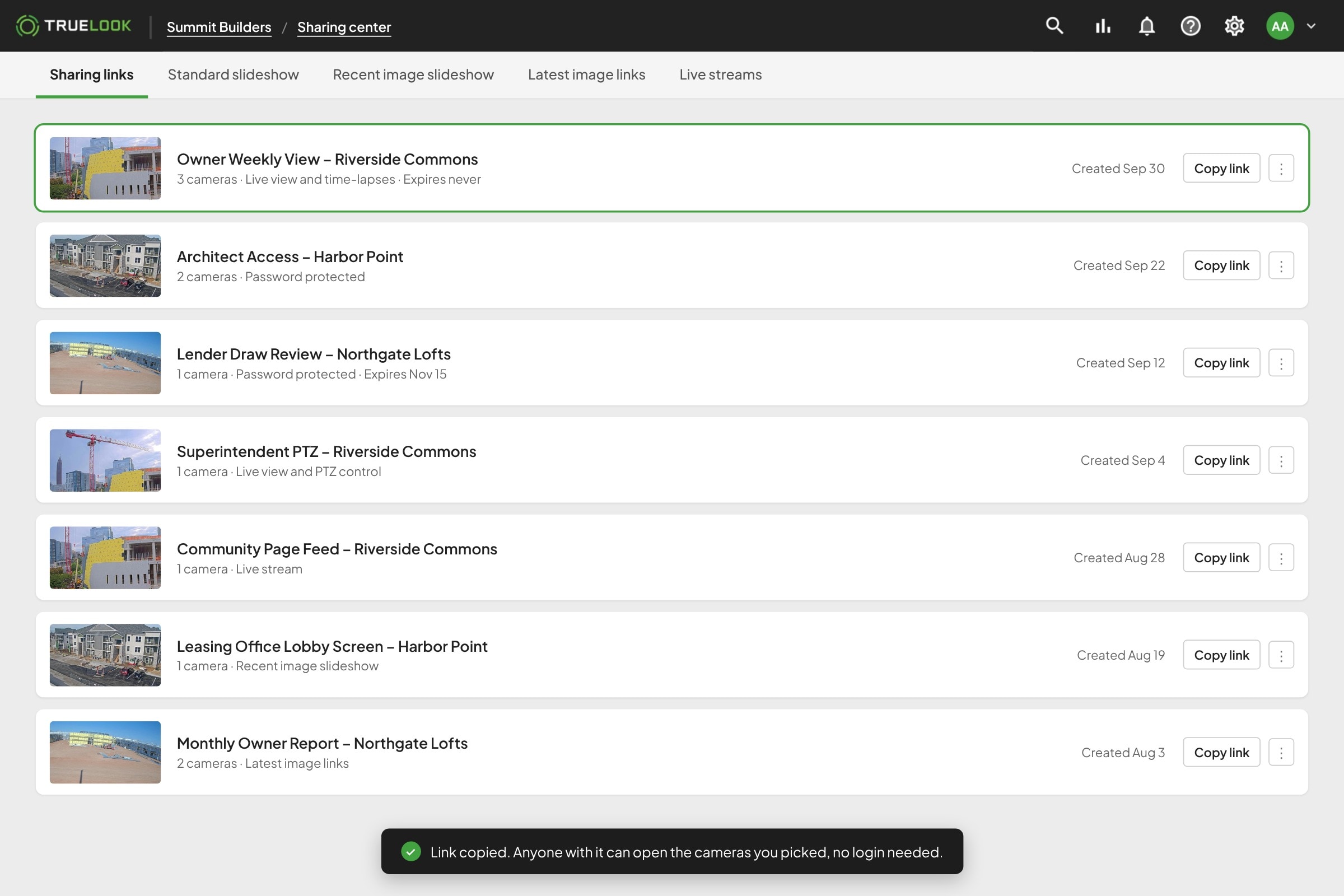
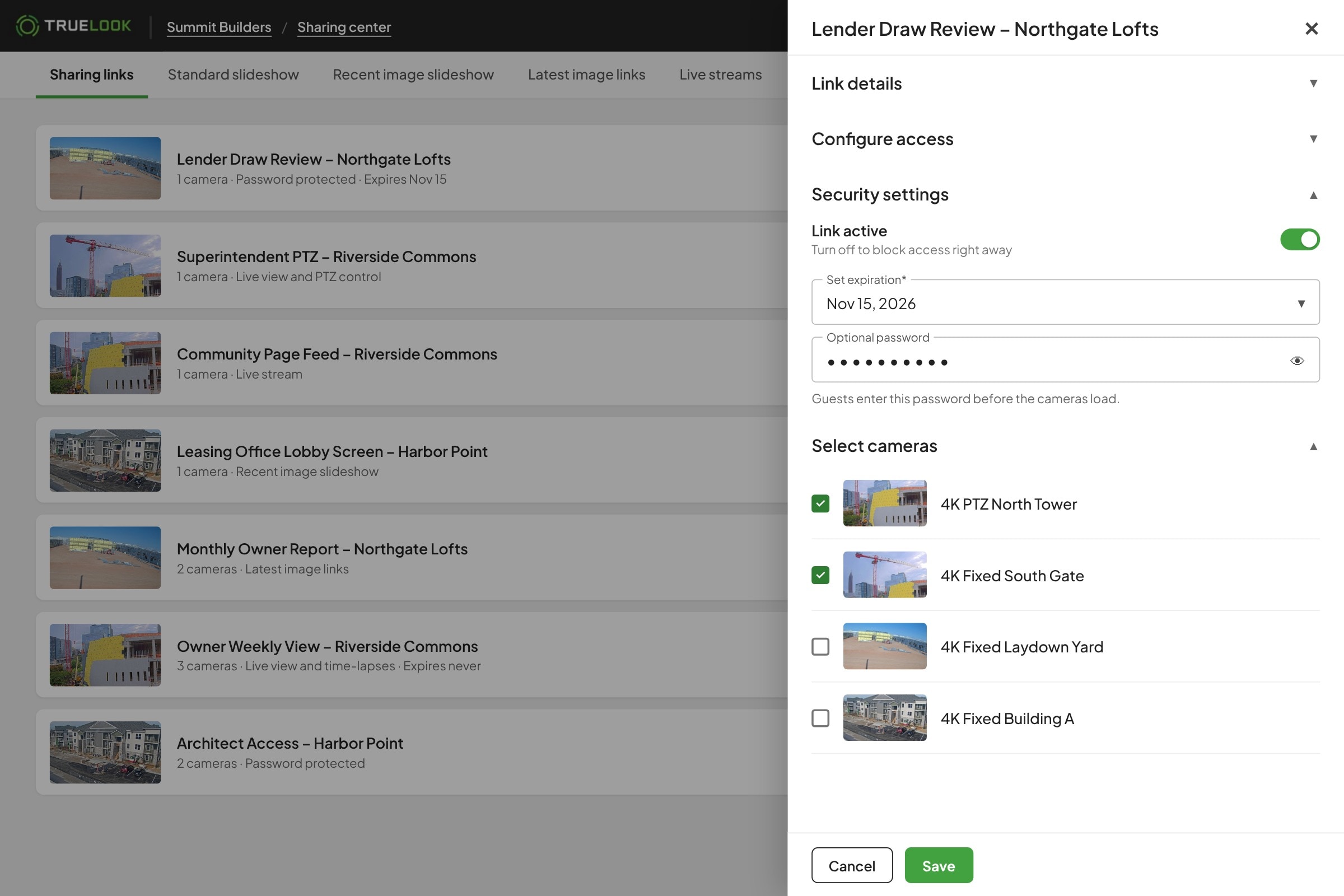
TrueLook Sharing Center list of sharing links for owners, architects, and lenders
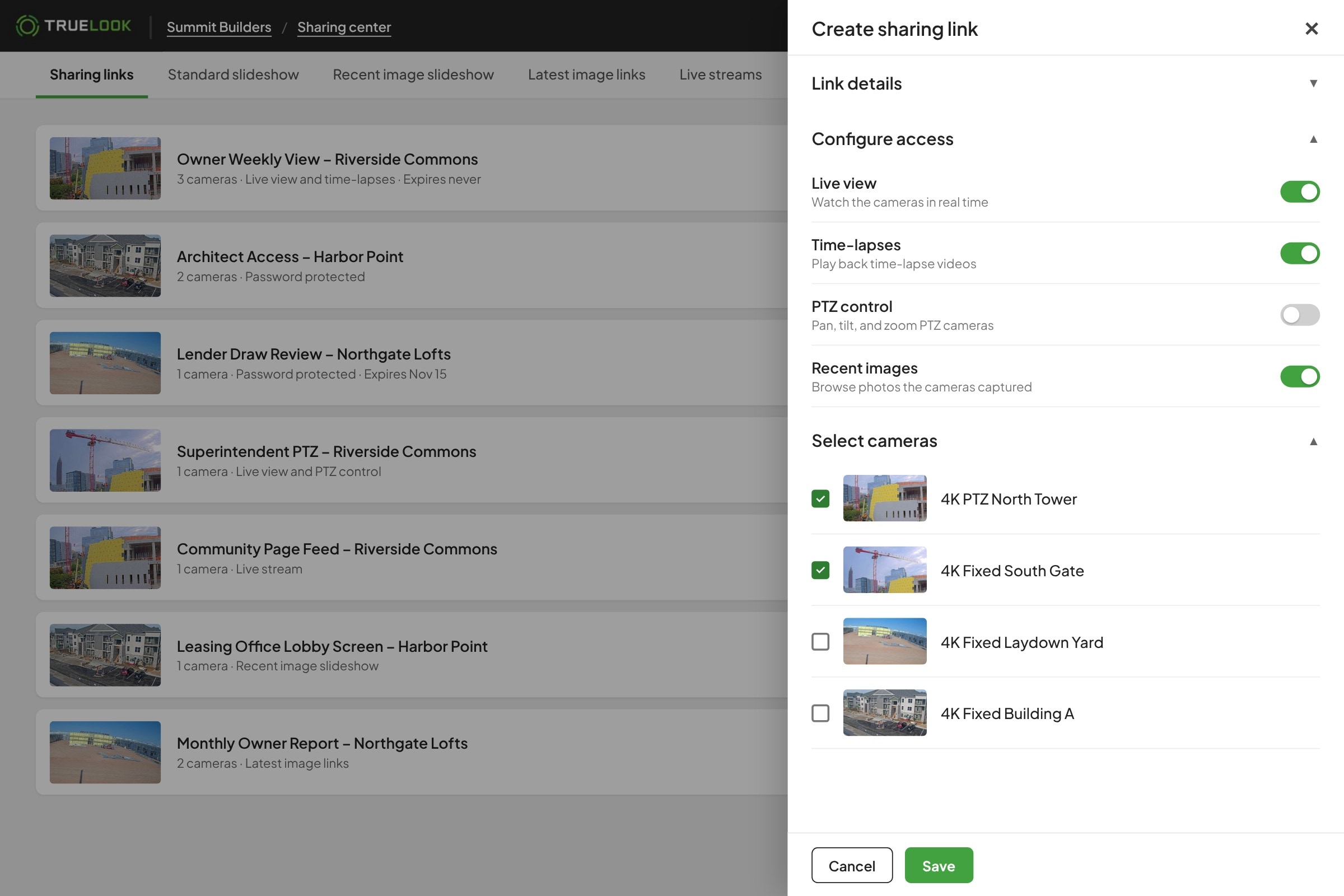
Choose exactly what ​each guest can do

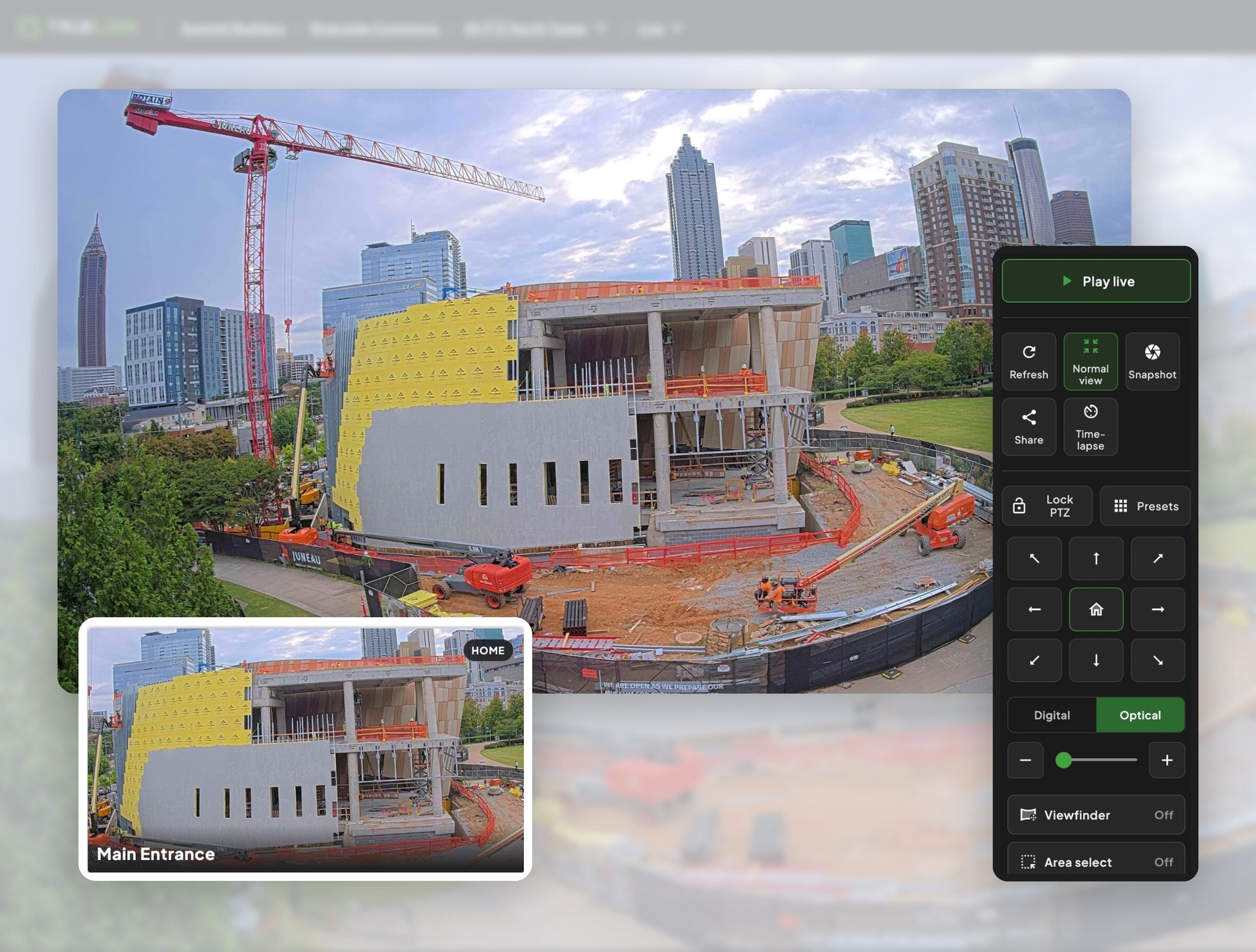
Give one link live view only, another time-lapses, and let your superintendent move a PTZ camera. Change access anytime without sending a new link.

Choosing live view, time-lapse, and PTZ access for a TrueLook sharing link
Add passwords and​ expiration dates

Add an optional password, set a link to expire when the job or the review ends, or turn it off with one click.

TrueLook sharing link with a password and expiration date
Put a live camera ​on your project website

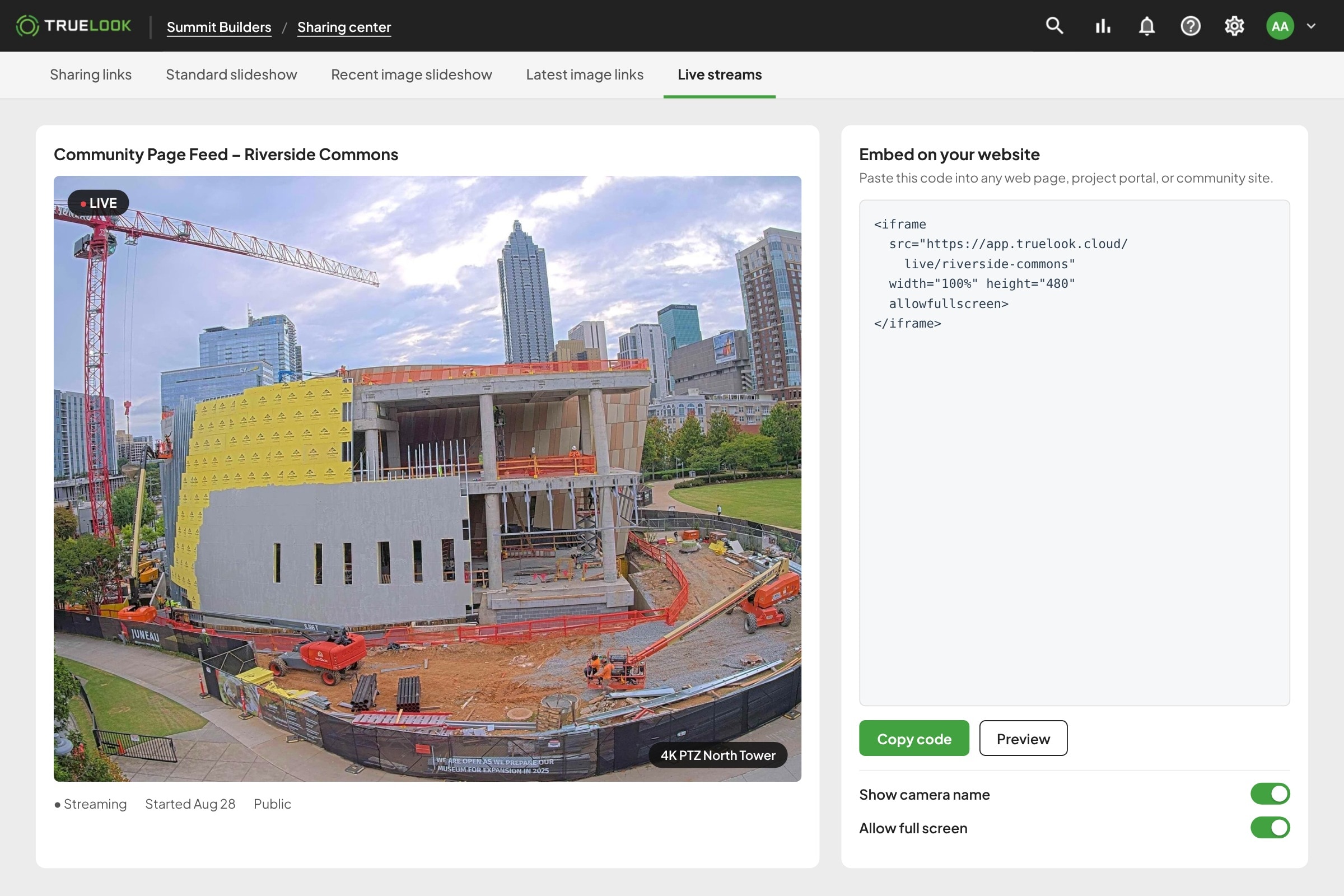
Live streams give you a camera player for your website, a project portal, or a community page, so the public can watch the build without anyone sending updates.

Embedding a TrueLook live stream on a project website
Show the latest progress without lifting a finger

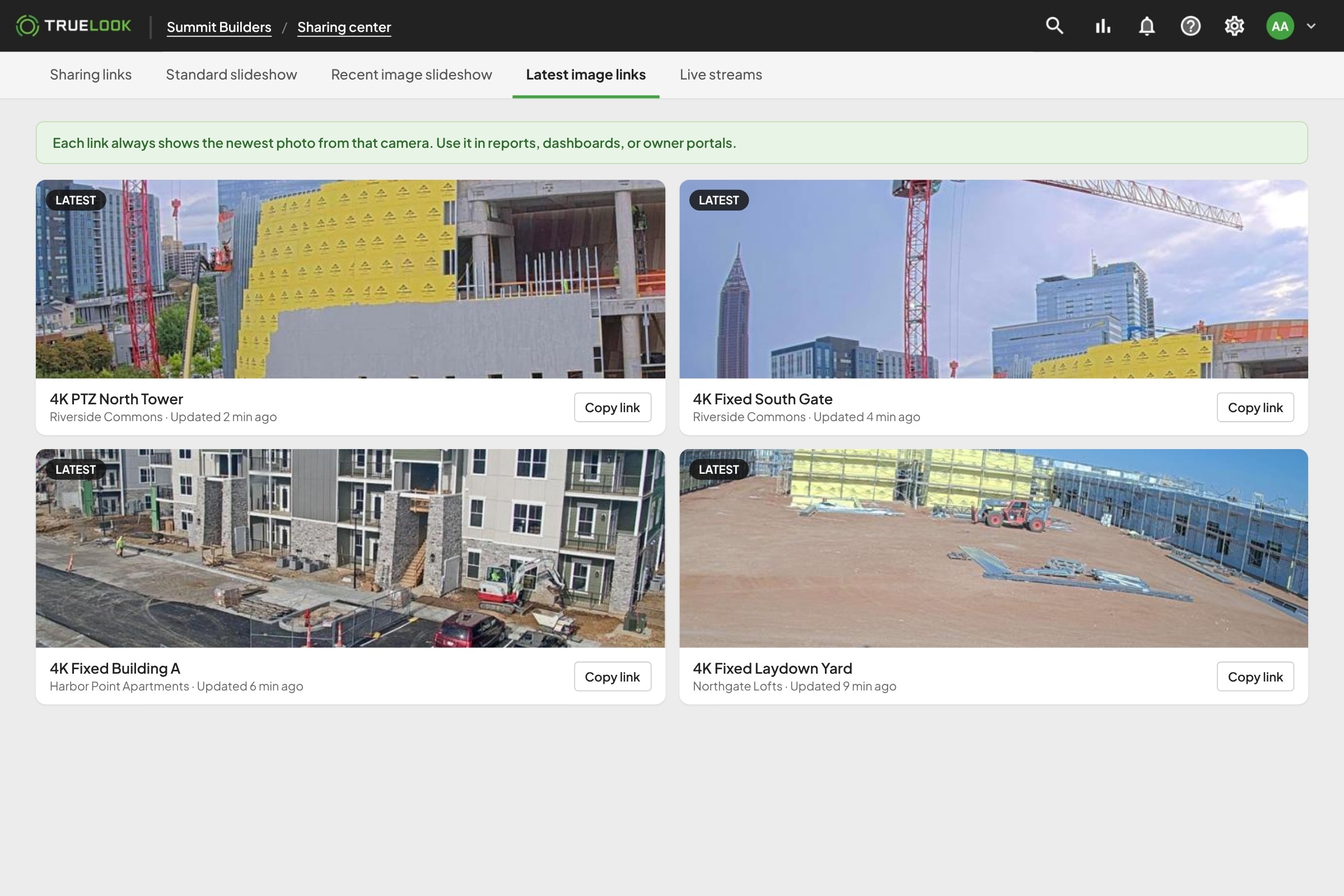
Slideshows refresh as new photos come in, and latest image links always show the newest photo, so reports and dashboards stay current on their own.

TrueLook latest image links that always show the newest jobsite photo

Monday 8:00 AM · Owner meeting

Walk the owner through ​the site without the drive

The owner wants to see progress before signing off on the next phase. Instead of scheduling a site walk, you send a link to the cameras that matter and talk through it on the call.

  • Live view in any browserNo account or app for the owner to set up.
  • Only the cameras you chooseShare the tower crane and the facade, not the whole site.
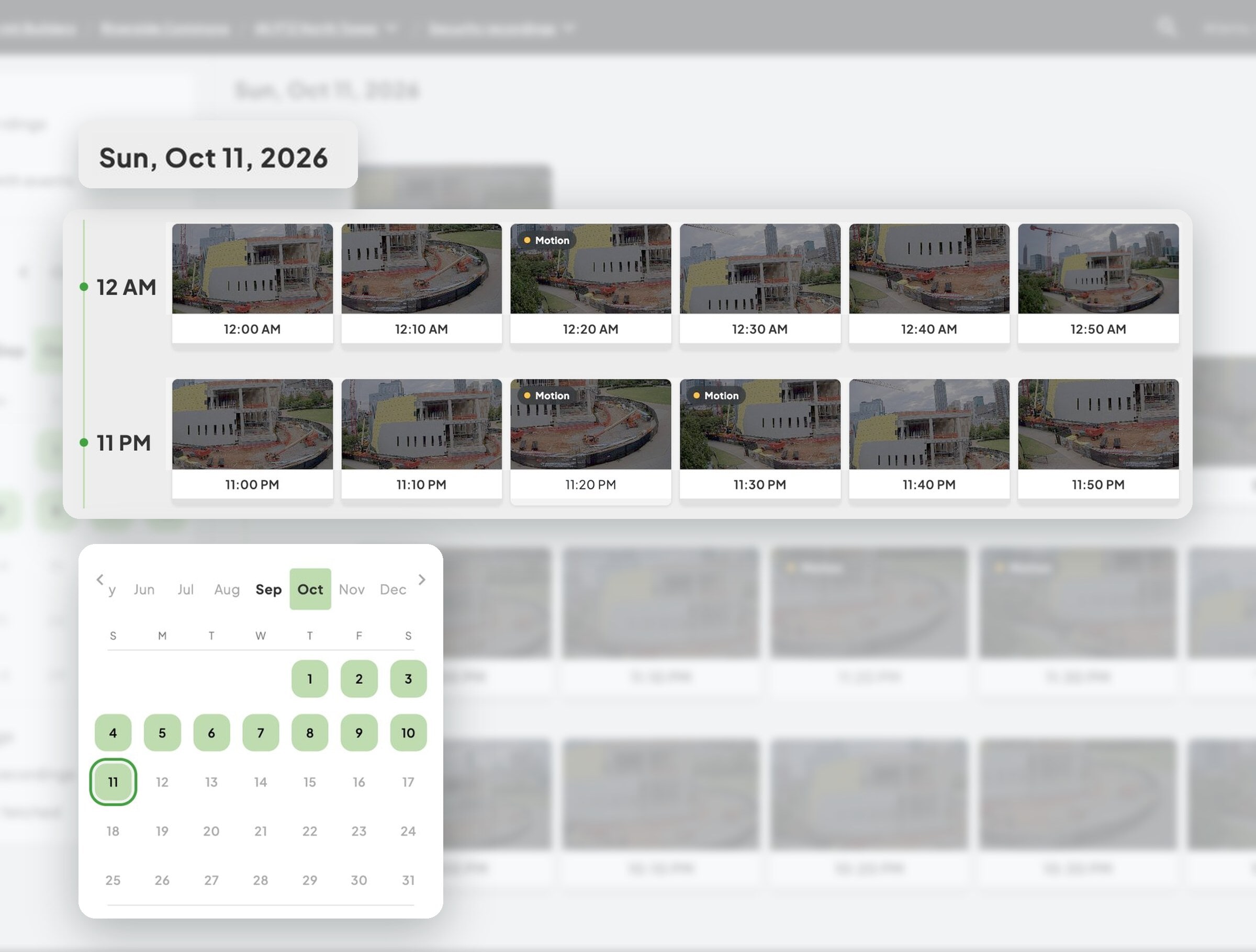
  • Time-lapse to show the paceLet them see a month of work in a minute.
Owner viewing a shared TrueLook live view of a construction site

Draw request day · Lender review

Back up the draw request ​with a link the lender can open

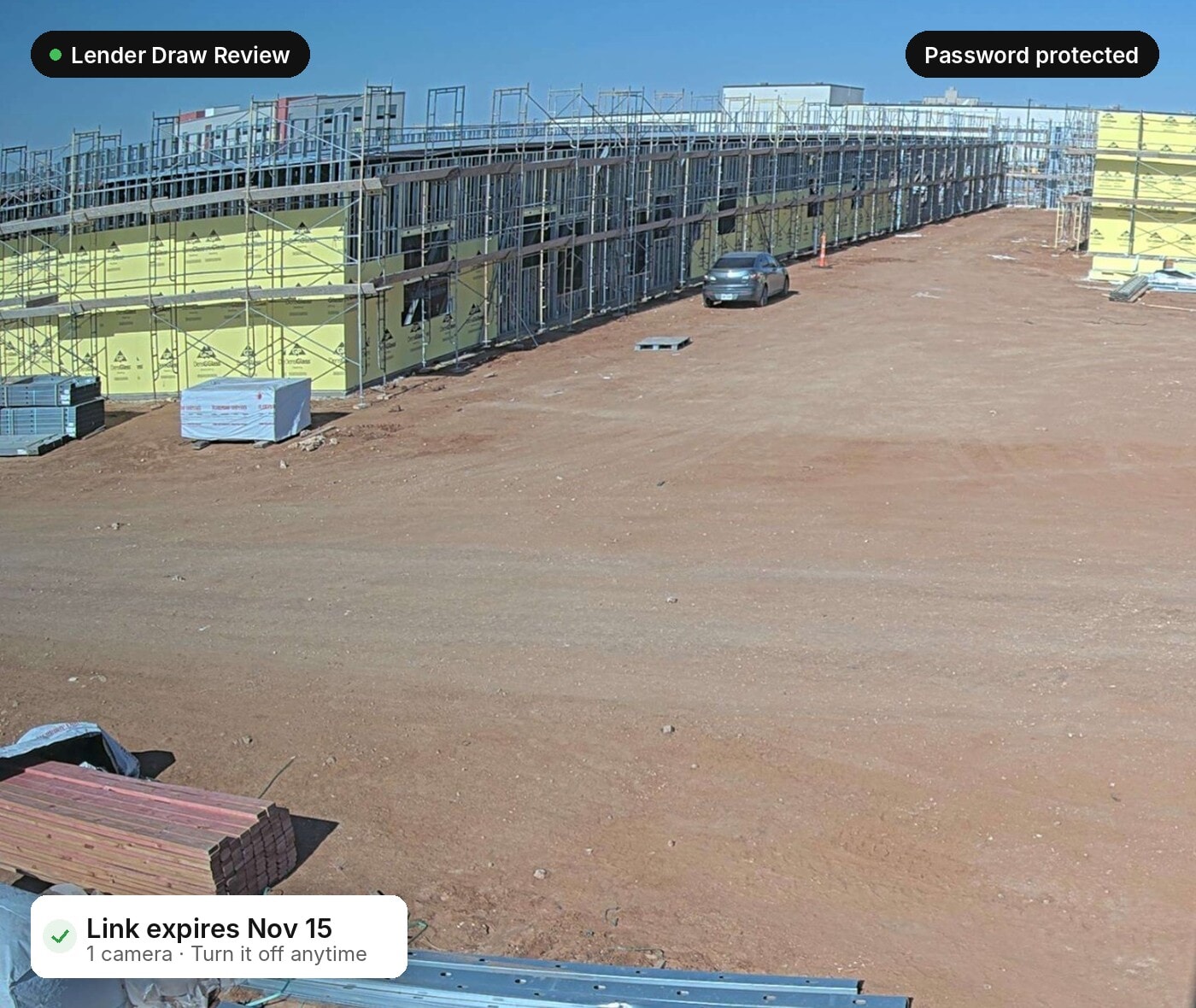
The lender wants proof the work is done before releasing funds. Send a password-protected link that expires after the review, so they see what they need and nothing more.

  • Password protectedOnly people with the password can open it.
  • Expires on your scheduleSet the link to close when the review is done.
  • Turn it off anytimeRevoke access with one click, with no new links to manage.
Password-protected TrueLook link for a lender draw review

Groundbreaking to opening day · Community page

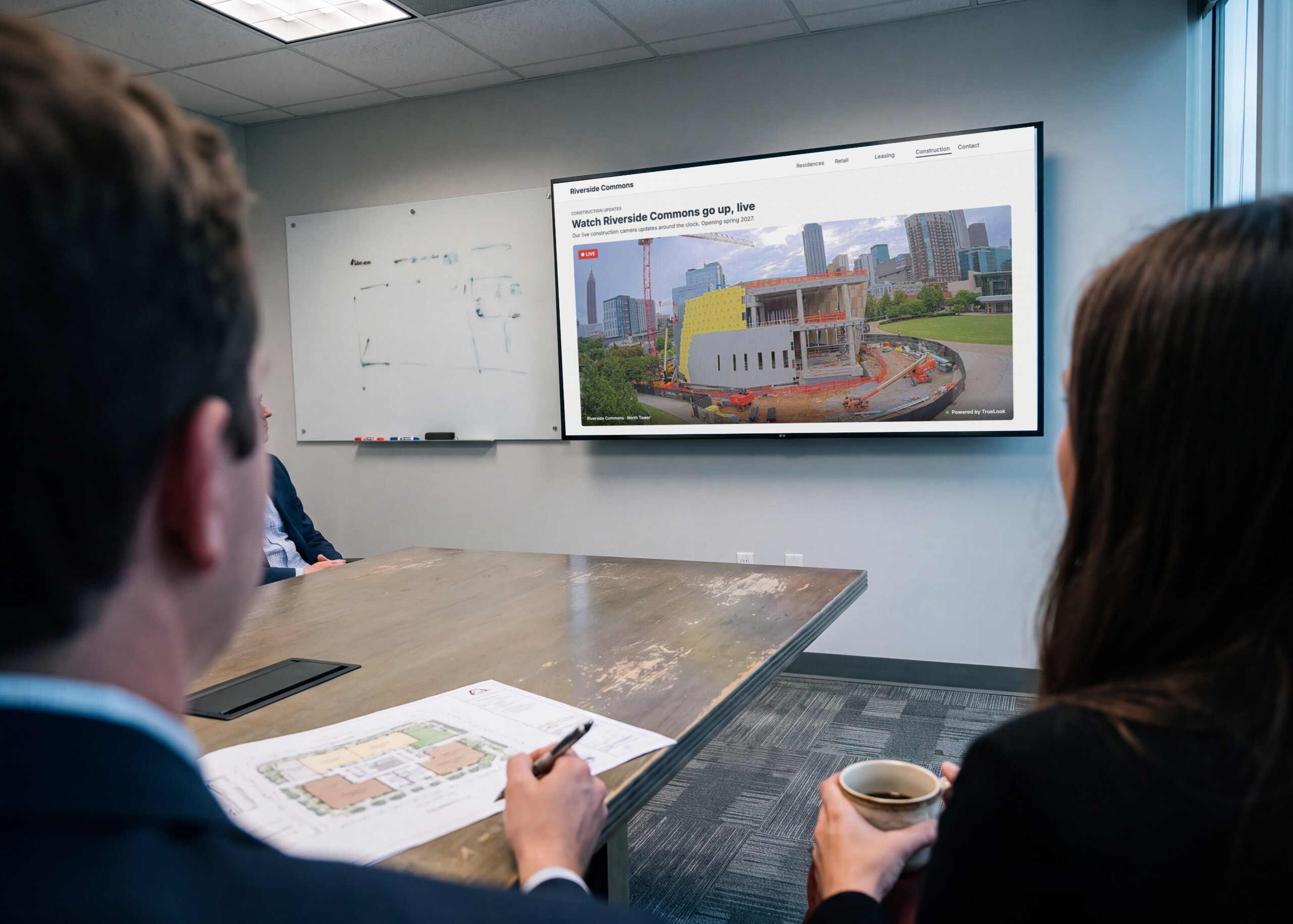
Let donors and neighbors ​watch the building go up

The owner wants donors, neighbors, and future tenants excited about the project. Embed a live stream or slideshow on the project website and it updates itself all the way to opening day.

  • Live stream embedsAdd a live camera player to any website or portal.
  • Slideshows that refreshNew photos appear as the cameras capture them.
  • Latest image linksDrop the newest photo into reports and dashboards.
TrueLook live stream of a construction site embedded on a project website

WORKS ANYWHERE

Keep the whole team ​looking at the same jobsite

Owners, architects, subs, and your own team get the same view whether they’re at a desk, in a truck, or across the country.

Tablet icon
Phone

Create and send links from the TrueLook app on iOS or Android, and guests open them in any phone browser.

Desktop monitor icon
Desktop & Laptop

Manage every link, permission, and camera from one dashboard without adding another tool to learn.

Share icon
Any Browser, No Login Needed

Guests open your link in Chrome, Safari, or Edge on any device. There’s no account to create and no app to download.

REAL RESULTS

Real feedback from real jobsites

From project managers to owners, hear from the people who rely on TrueLook every day.

A live feed that kept donors engaged

“The live feed on the homepage kept donors, staff, and community engaged,”

Kelsey Restrepo | VP of Marketing and Communications

One-Stop Shop

We were losing time and money driving to jobsites just to check in, and struggling to share milestones with owners and stakeholders. The integration became our one-stop shop.

JD Coffee | Project Executive

Must-Have Tool

“Fantastic tool to track progress, and protect our clients’ investment.”

Colin Miller | Director of Field Operations

Every project, one screen

“The ability to keep tabs on all projects across the country is invaluable.”

Rna Waheb | Sr. Construction Project Manager

FAQ

What teams ask ​about sharing

The Sharing Center is where you create secure links to your TrueLook cameras and images. You can share live views, time-lapses, slideshows, live streams, and latest image links with owners, architects, lenders, subs, and the public without giving anyone a login.

get a quote

See which cameras and subscription plan fit your project

Answer a few questions about your jobsite. We’ll recommend cameras and a subscription plan, then a TrueLook rep will review it and follow up with your quote.

Answer a few short questions and we will send you a quote with product and pricing details, tailored specifically to your needs.