
Back to Hub
  • Camera Features and Services

New TrueLook Feature – Image Compare Mode

Jul 29, 2015
|
1 min read
  • Allison Shaub headshot

    Allison Shaub

    Chief Marketing Officer

Image compare mode showing a high-rise at two different dates

Now you can compare any two time-lapse images to quickly see how your jobsite has changed over time. Just head to one of your time-lapse image archives and select the “Compare” mode.

You can choose any two photos from your time-lapse. The images will be displayed side-by-side, with half of each image visible. Dragging a handle will change how much of each image is displayed.
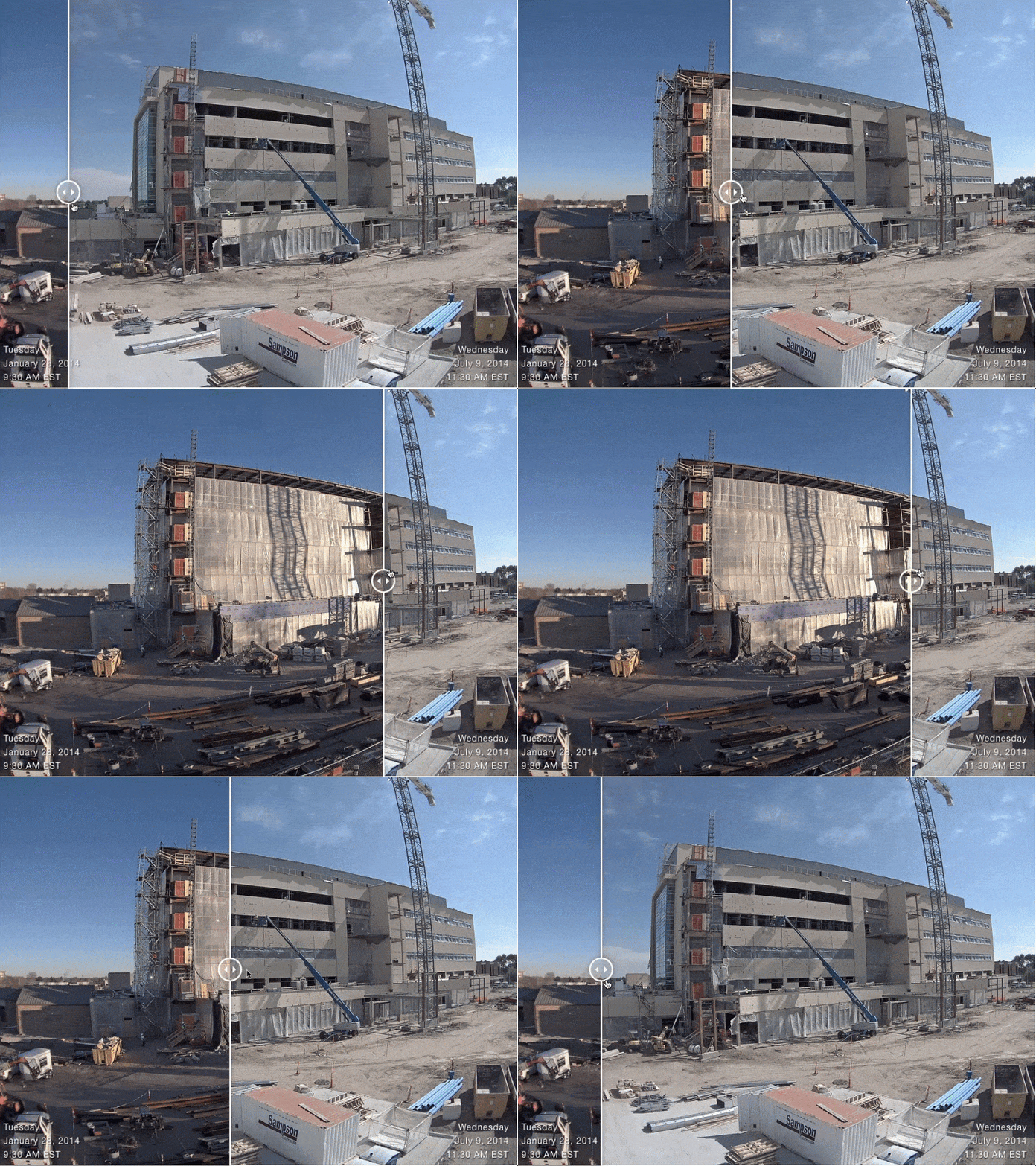
swipe over image to show before and after of construction project

Now you can easily see what work has been completed in any timeframe, or quickly review your overall progress.

Allison Shaub headshot

Chief Marketing Officer

Allison, the CMO of TrueLook, one of the leading construction camera companies, is a seasoned marketing leader with 15 years of experience driving transformative change for startups, agencies, and Fortune 100/500 companies. With expertise across diverse B2B and B2C markets, including technology, construction, automotive, and healthcare, she’s known for her customer-centric approach that consistently delivers higher ROI and exceptional product development. At TrueLook, Allison spearheads strategic marketing initiatives to enhance brand awareness, meet business objectives, and foster deeper consumer engagement. Beyond work, Allison loves spending time with her husband, son, and dog.