Construction site visual monitoring software gives you a live, continuous view of a job site through fixed cameras, so you can check progress, verify work, and keep an eye on security without driving out there. It’s become standard on active jobs for one simple reason: you can’t be on every site every day, and a camera can.
This guide covers what the software actually does, where it falls short on its own, and how to close that gap with the rest of your stack.
What is construction site visual monitoring software?
It’s a system of fixed, high-definition cameras placed on a job site that stream live video, record continuously, and compile time-lapse footage over the life of the project. You can pull up any camera from your phone or laptop, check what’s happening right now, or scroll back to confirm what happened last Tuesday.
Most systems also handle security recording and after-hours motion alerts, so the same cameras that show you progress during the day are protecting the site overnight.
Why you’d add cameras to your job sites
If you’re running more than one project, you already know the problem: you can’t physically be everywhere, and neither can your PMs. Visual monitoring solves a specific set of headaches.
- You check on a site without driving to it. A two-minute look at the feed answers most of the questions a site visit would.
- Owners and stakeholders see progress without asking for an update. Give them camera access and they can check it themselves.
- You settle disputes with footage instead of memory. Weather delays, late deliveries, subcontractor no-shows: the camera settled it before anyone had to argue.
- You get marketing footage for free. A finished time-lapse is one of the easiest assets to hand your marketing team or show a prospective client.
- You cut down on theft and vandalism. Recorded footage and live monitoring do real work here, on top of whatever site security you already have, and support the jobsite safety and inspection practices OSHA recommends.
What visual monitoring alone can’t tell you
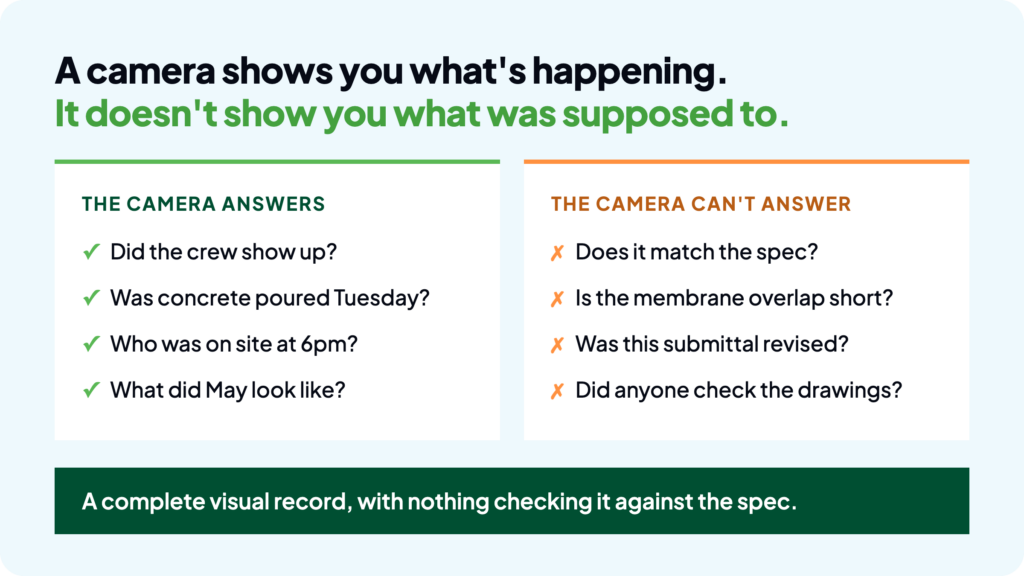
Here’s the limit worth being honest about: a camera shows you what’s happening. It doesn’t tell you whether what’s happening matches what the drawings and specs actually call for.
You can watch a crew install a wall assembly all day and still not know, just from the footage, whether it matches the CSI-organized spec section that governs it. That’s not a gap in the camera. It’s just a different question, and it needs a different tool to answer it.
Here’s what that looks like in practice. Say the waterproofing spec calls for a specific membrane overlap at every seam. Your camera captures the whole install, start to finish, in perfect detail. But nobody on your team is sitting there cross-referencing every frame against the spec section in real time, and the camera has no idea what the spec says in the first place. If the overlap is short by an inch on half the seams, that footage exists, but it doesn’t flag anything. You’d only catch it if someone happened to review it against the drawings, after the fact, which is exactly the manual work most teams don’t have time for.
That’s the actual gap: a complete visual record with nothing checking it against what was supposed to happen.
Pairing your cameras with document intelligence
This is where AI-powered spec and submittal review earns its place next to your cameras. Tools like SpecSet read your project’s specs and submittals and flag where a submittal doesn’t actually match the spec it’s supposed to satisfy, or where a document’s been revised since the last time anyone checked it.
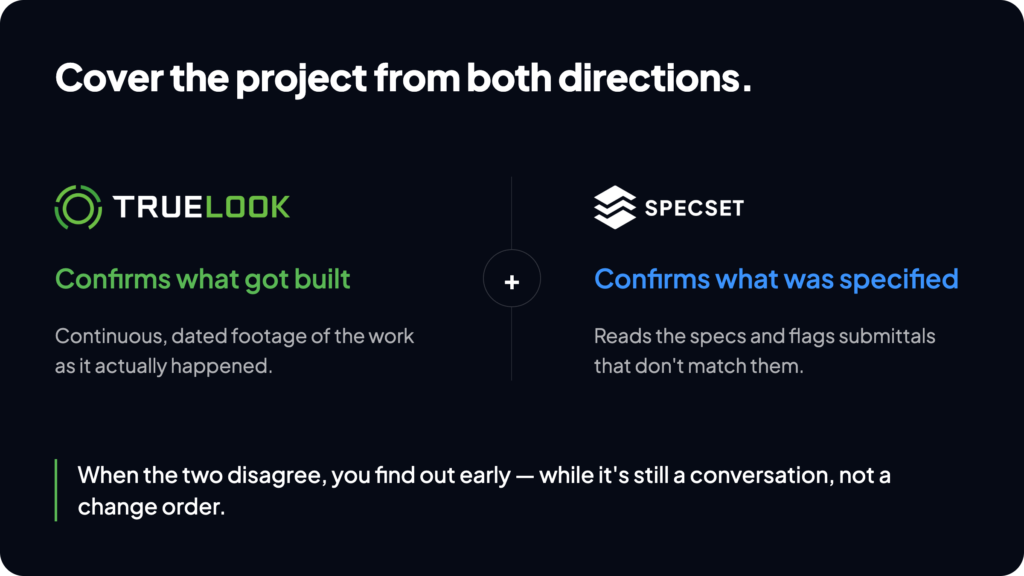
Put the two together and you’re covering the project from both directions. Your camera confirms what got built. Your document tool confirms what was supposed to get built. When those two things disagree, you find out early, while it’s a conversation with the sub instead of a change order after the wall’s closed up.
Adding a drone layer for site-wide progress
Fixed cameras cover a set view. If you need the whole site from above, aerial mapping fills that in: earthwork progress, material staging, site logistics, and how the project is moving as a whole rather than one angle of it. It’s a different tool answering a different question, and it works alongside your camera feeds and your project management platform rather than replacing either one.
What to look for when you’re comparing systems
Not every camera vendor is built for construction, and the differences matter more than they look on a spec sheet.
- Power on sites with no utilities yet. Solar-powered options matter early in a project, before permanent power is run. A camera that only works wired isn’t useful on day one of a build.
- Time-lapse that’s actually usable, not just footage. You want compiled, shareable time-lapse video, not a raw archive of still images someone has to stitch together themselves.
- Real integrations, not just an export button. Check whether the system connects directly with the project management platform you already use, so footage lands where your team is already working instead of in a fifth login.
- Enough camera coverage for the site, not just one angle. A single fixed camera works for a small site. Larger or more complex sites usually need multiple fixed views, or a pan-tilt-zoom camera that can cover more ground from one position.
- Support that answers the phone. When a camera goes down mid-pour, you want a person, not a ticket queue.
Building the stack instead of picking one tool
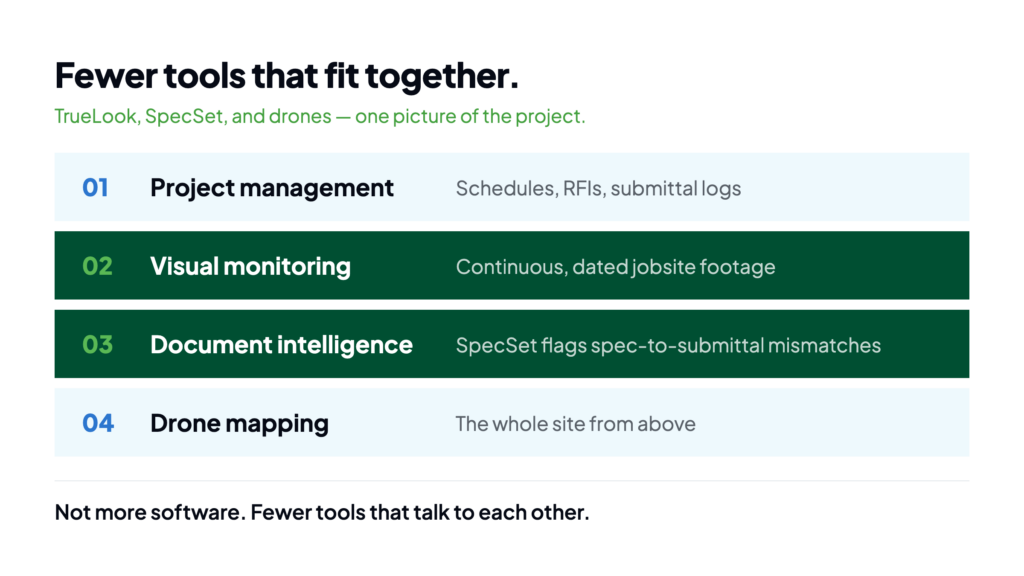
None of this means you need five separate logins and five separate headaches. It means picking a small number of tools that each do one thing well and actually talk to each other:
- A project management platform for schedules, RFIs, and submittal logs
- Visual monitoring for continuous, dated jobsite footage
- Document intelligence (like SpecSet) for catching spec-to-submittal mismatches
- Drone mapping when you need the whole site from above
The GCs getting the most out of 2026’s tech aren’t running more software. They’re running fewer tools that fit together.
FAQ
No, but it cuts down how many you need. You’ll still walk a site for anything hands-on, like a final punch list or a safety check, but day-to-day progress checks and stakeholder updates can happen from the feed.
Yes. Most systems, including TrueLook, connect with platforms like Procore so footage and time-lapse links sit alongside your existing project records instead of living in a separate app.
A dedicated jobsite camera system is built for construction specifically: solar power for sites with no utilities yet, time-lapse compilation, and views set up to track progress, not just catch intruders. A basic security camera can record activity but usually isn’t built to generate a usable progress record.
Pricing varies by vendor, camera count, and whether you add extras like verified security monitoring, so it’s worth getting a quote based on your specific site rather than assuming a flat rate. Most providers price by camera and by subscription tier, similar to any SaaS-plus-hardware model.
It depends on the size and layout of the site. A small or single-building project often works with one fixed camera covering the main work area. Larger sites, or ones with multiple structures, usually need several fixed cameras or a pan-tilt-zoom unit to avoid blind spots between buildings.
See it before you decide
If you want to see what a live feed actually looks like before adding it to your stack, check out TrueLook’s camera lineup and see a sample time-lapse from an active job site.
And if spec-to-submittal mismatches are the blind spot costing you change orders, take a look at what SpecSet catches before it becomes a problem on your next project.